Two familiar faces
Migos AI brings separate photos into one performance. Pick your best friend, your partner, or the person who always finishes your sentences.
Your duo. Your inside joke.
Make a Migos AI Trend Video with two photos and one shared story. Pick your co-star and take the mic.
Migos AI turns a shared memory into your next group-chat moment.
A Migos AI Trend Video turns two familiar faces and a shared story into a rap performance.
Migos AI brings separate photos into one performance. Pick your best friend, your partner, or the person who always finishes your sentences.
An Orange-Booth Duo Video keeps the setting simple: warm color, a hanging microphone, and room for your two headliners to trade verses.
Give your Migos AI Trend Video a personal hook, from a shared holiday mishap to the nickname nobody else quite understands.
Create your Orange-Booth Duo Video with two photos, a stage, and a story.
Upload two clear photos to Migos AI, choose the orange stage, and add an optional topic that gives your duo something to say.
Choose your quality, format, and length. Start your Migos AI Trend Video, then follow its progress while the performance comes together.
Watch your Orange-Booth Duo Video with sound, download the MP4, and share the moment with the friend who inspired it.
The Migos AI Video Generator brings your photos, stage, audio, and video settings into one studio.
Choose 720p for everyday Migos AI sharing or 1080p for more detail where your selected model supports it.
Give your Migos AI Trend Video generated rap audio, with a personal topic to guide the performance.
Frame your Orange-Booth Duo Video vertically for a phone screen, horizontally for a wider view, or square for your feed.
Migos AI shows the credit cost before you generate. Adjust quality or length to compare your options.
Find completed Migos AI videos in your library. Rewatch favorites, download them again, or compare your versions.
Try the Migos AI Video Generator for birthdays, anniversaries, and reunions. Give your duo a new story.
Give the Migos AI Video Generator clear photos and one focused idea. Start with these simple checks.
For your Orange-Booth Duo Video, use bright, sharp photos with visible faces. Avoid heavy filters, sunglasses, and other people crowding the frame.
A Migos AI Trend Video works well with one small story. Try a graduation shout-out or a friendly debate about your weekend plans.
Watch your Orange-Booth Duo Video from start to finish. Check both faces, the movement, and the sound before you share the MP4.
Plan your Migos AI Trend Video with clear quality choices, clip lengths, and credit costs.
| Model / quality | 480p | 720p | 1080p |
|---|---|---|---|
| Standard | 75 | 145 | 360 |
| Fast | 120 | 240 | 600 |
| Pro | 145 | 290 | 720 |
| Ultra | 220 | 435 | 1080 |
Purchase credits to generate videos. Higher quality and longer clips use more credits.
A little direction. Your own duo.
Two photos. One stage. See what each template can make, then try it with your own duo.


2 photos → 1 rapLuxury Lobby
Two people
Sample · 12sA back-and-forth verse with your favorite co-star.


2 photos → 1 rapOrange booth
Two pets
Sample · 12sBig stage energy for your little companions.

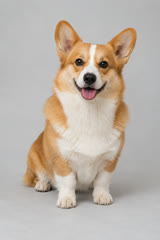
2 photos → 1 rapStreet Cypher
Person + pet
Sample · 12sYou take the verse. Your pet steals the show.
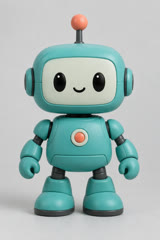
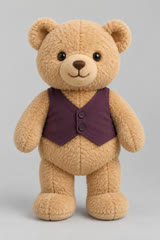
2 photos → 1 rapStudio Booth
Toys & characters
Sample · 12sA playful duet for two imaginary headliners.
Buy credits once and create at your own pace. Subscriptions are optional.
Buy credits once for your rap videos. Subscriptions are optional. Higher quality and longer videos use more credits.
One Standard rap video, no subscription
Credits never expire
For occasional projects
Credits never expire
For regular creator work
Credits never expire
Photos, free trials, sound, settings, and sharing: a few things to know before you start.
Choose two photos, select the orange stage, and add an optional story. Start your performance, then preview the result before downloading it.
Yes. Migos AI allows one free trial attempt. Buy credits for more videos and check the cost first.
An Orange-Booth Duo Video pairs familiar faces with a warm backdrop and a shared microphone. Your own topic makes the performance personal.
Choose a clear, well-lit photo of each subject. Separate photos work, or use one combined image with both subjects clearly visible side by side.
Yes. Pair two pets or join your furry co-star. Use photos with clear faces and distinctive markings so the references are easy to follow.
No. Add a name and one memorable detail to guide the lyrics, or leave the description empty for a general performance based on your photos.
Yes. Add a name, an occasion, and one detail that makes them smile. Birthday and anniversary shortcuts offer a starting point for your own story.
Yes. The rap models generate audio alongside the video. Your description guides the topic; check the finished lyrics, pronunciation, and timing before sharing.
Migos AI creates a new performance from your photos. Original moves generation is not currently available; choose another stage to make your own version.
Choose vertical 9:16 for phone screens, landscape 16:9 for a wider view, or square 1:1. Leave enough room in the frame for both performers.
A Standard 720p, 12-second video uses 145 credits. One-time packs start at $5.99. The Generate button shows the cost for your settings; subscriptions are optional.
Allow several minutes and follow progress in the studio. If a paid render fails at the provider, reserved credits are refunded automatically.
Preview your Orange-Booth Duo Video with sound, then download the MP4 to share. Completed renders remain accessible through your account library.
The Migos AI Video Generator runs in your browser. Choose photos, a stage, and an optional description. No installation or editing experience needed.
Pick your co-star and one shared story. Make a Migos AI Trend Video for your group chat.
Make our rap video